Wi-Fi 6E vs Wi-Fi 6: When 6GHz Actually Helps
Confused about wifi 6e vs wifi 6? Learn how the 6GHz band enhances performance and when it's necessary
This introduction answers a simple, practical question: when does access to the 6 GHz band improve real-world home and office wireless performance?
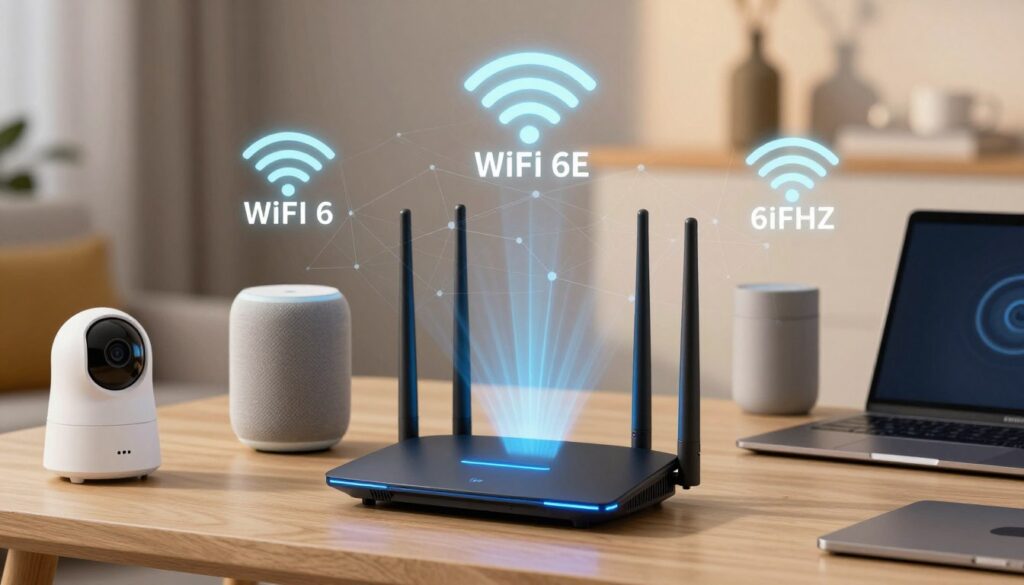
Wi‑Fi 6 and Wi‑Fi 6E share the same 802.11ax standard and core technology. The key difference is spectrum access: one adds the 6 GHz band, which can act like a fast lane with less congestion and lower latency for compatible devices.
Expectations matter. The new band is not automatically faster everywhere. Speed and performance depend on range, walls, and how many of your devices can use the 6 GHz band.
This guide focuses on observable outcomes: throughput, latency, stability, and congestion. It also previews a decision framework for homes, apartments, and offices, and considers current router limits and device mixes.
Scope: United States only, where FCC rules affect channels, interference, and upgrade timing. Read on to learn when the extra band yields measurable gains and when upgrades can wait.
Key Takeaways
- Both standards use 802.11ax; the main change is access to 6 GHz.
- The new band helps most when many compatible devices and open spectrum exist.
- Walls, range, and the existing network setup often limit real gains.
- Consider home vs apartment vs office needs before upgrading your router.
- US FCC rules shape channel availability and interference today.
Wi‑Fi 6 and Wi‑Fi 6E in plain terms: same standard, different bands
Think of the standard as a traffic controller that manages many devices, not a stopwatch for one gadget. The improvement here is about handling busy networks. That means better capacity and consistent performance when multiple users stream, game, or upload at once.
What Else Would You Like to Know?
Choose below:
What “802.11ax” means for speed, capacity, and efficiency
802.11ax focuses on smarter sharing of the air. Features like OFDMA let a router parcel out small resource blocks to many clients. Improved MU‑MIMO helps multiple devices talk at once without clashing.
Why the extension is not a new generation
The often‑quoted “up to 9.6 Gbps” figure is a combined, multi‑stream theoretical peak across many channels. Single‑device data rates and real‑world speeds are much lower because of distance, walls, and competing traffic.
The extended certification keeps the same 802.11ax features and simply adds another band. In plain terms, the “E” means Extended — like adding an extra roadway to ease congestion rather than rebuilding the whole transportation system.
- Same core standard and core technology.
- Better multi‑device handling, not just higher peak speed.
- “Extended” opens more spectrum for compatible clients.
wifi 6e vs wifi 6: the differences that change real-world performance
Adding a new frequency band changes how many devices share the air, not the protocol that controls them.
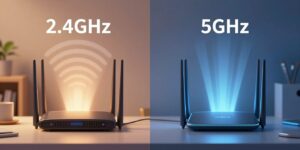
Traditional bands (2.4 GHz and 5 GHz) serve most legacy clients and are often crowded in dense housing. The U.S. FCC opened the 6 GHz spectrum in April 2020, releasing 1,200 MHz of new capacity. That expansion creates many more clean channels for modern devices.
The 6 GHz band supports up to 14×80 MHz or 7×160 MHz channels. In practical terms, more non-overlapping channels mean less neighbor overlap and more consistent throughput for clients that can use the band. Wider bandwidth lanes (80/160 MHz) help single devices hit higher real speeds during large downloads or streaming.
Because only compatible devices access this band, it acts like a fast lane with lower interference and reduced congestion. Legacy slowdowns are less common, and there’s typically less contention from older gadgets.
Another advantage: 6 GHz does not require DFS radar scanning the way some 5 GHz channels do. Without DFS-driven channel moves, 160 MHz links stay stable longer — useful for gaming, video calls, and large file transfers.
- More spectrum = more clean channels and less overlap.
- Wider channels (80/160 MHz) enable higher sustained throughput.
- No DFS scanning improves stability for wide‑band links.
Speed, throughput, and latency: where 6GHz delivers noticeable wins
Real-world network tests show that extra clean spectrum often turns theoretical peaks into practical gains.
Theoretical ceilings (the familiar “up to 9.6 Gbps”) describe the standard, not everyday results. Practical speeds depend on channel width, client radio count, and how crowded the band is. A typical lab-to-home difference might be ~1.1 Gbps versus ~1.8 Gbps at 15 ft when wide channels and low interference are available.
Throughput is what users actually feel: faster downloads, smoother streaming, and fewer stalls when many devices are active. Wider 160 MHz channels raise peak throughput when signal quality is strong.
The role of 160 MHz channels
Wide channels let a single client pull much more data at once. Because the newer band has many clean lanes, those 160 MHz links are usable more often. That turns theoretical advantage into sustained faster speeds for compatible devices in the same room or floor.
Lower latency under load
OFDMA and MU‑MIMO reduce contention by letting the router schedule many clients efficiently. With less neighbor traffic on the new band, latency becomes more consistent. That means fewer stalls and lower jitter during heavy use.
Best-fit applications
- Competitive gaming — lower latency and steadier packet timing.
- 4K/8K streaming and large video transfers — higher sustained throughput.
- Video calls (Zoom/Teams) — fewer drops and clearer audio/video.
- AR/VR and large scientific data copies — the extra capacity matters.
| Metric | Typical 5 GHz result | Typical 6 GHz result |
|---|---|---|
| Peak single-client (same-room) | ~1.0–1.2 Gbps | ~1.6–1.9 Gbps |
| Throughput under multi-device load | Declines with congestion | Higher and more stable |
| Latency consistency | Variable | Lower jitter, more consistent |
When to take advantage: modern client hardware, same-room or same-floor use, and a router set to use the new band. If your main problem is congestion and jitter at peak hours, the extra band is likely to deliver a clear advantage.
Range and wall penetration: the tradeoff that can erase the 6E advantage
Higher bands trade distance and penetration for cleaner, faster local performance. In simple terms, higher frequency signals carry more data close to the router but lose strength faster through walls and floors.
What this means at home: open plans and same-room use get the biggest gains. Rooms with multiple walls, brick, or concrete, and long hallways reduce signal strength quickly. In those layouts, peak performance disappears well before the edge of a typical house.
Most modern routers implement band steering so devices use the best band available automatically. When a higher band signal weakens, clients fall back to the lower bands for a steadier connection. From a user view, this is seamless: your device simply stays online but at a lower link speed.
Older devices do not support the new band at all and remain on 2.4 GHz or 5 GHz. That can help overall networks by keeping legacy traffic off the newer band.
Practical guidance
- Best fit: same-room streaming, gaming, and large transfers where line-of-sight exists.
- Fallback cases: garages, outdoor cameras, and distant bedrooms should use 2.4 GHz for reliability.
- Buyer note: one router rarely gives whole-house top speeds; add access points or a mesh to extend coverage.
| Scenario | Likely dominant band | User impact |
|---|---|---|
| Same room / open plan | Higher band | High throughput, low latency |
| Multiple interior walls | 5 GHz | Moderate speed, more stable |
| Far rooms, outdoors, garages | 2.4 GHz | Best reach, lower peak speed |
Devices and routers: what you need to actually use Wi‑Fi 6E
A tri‑band router only helps if your phones, laptops, and TVs have matching radio chips.
Client checklist: confirm that each device explicitly lists 6 GHz support — not just the newer standard. Look at phone specs, laptop wireless adapters, smart TV product pages, and console documentation. Examples include the NETGEAR Nighthawk RAXE500 as a tri‑band router and phones such as the Samsung Galaxy S21 that list 6 GHz capability.
How access works: a tri‑band unit can broadcast the extra band, but non‑capable devices cannot see or join it. That means the fastest lanes are reserved only for compatible devices, which reduces congestion for the rest of the household.
Router and access point requirements
To enable the extra band you need a router or access point with three radios (2.4, 5, and 6 GHz) and firmware that exposes channel options and WPA3 on the new band. Check vendor release notes for regulatory and security support before buying.
Keeping older devices online
Legacy clients remain fully functional on 2.4 and 5 GHz bands. A practical upgrade path keeps existing devices on those bands while new devices take advantage of the cleaner spectrum. This staged approach eases transition without stranding older hardware.
| Item | What to check | Typical outcome |
|---|---|---|
| Phone | Radio chipset spec lists 6 GHz support | Can take advantage of cleaner band for high throughput |
| Laptop / PC | Adapter model and driver support | May need a hardware upgrade or USB adapter |
| Router / AP | Tri‑band radio, firmware with 6 GHz channels, WPA3 | Enables band access for compatible devices |
| Legacy IoT / cameras | Most use 2.4 or 5 GHz | Stay connected without change |
Security and standards: WPA3 requirements and what changes on 6 GHz
Certification for the new band raises the default protection level for modern home and enterprise setups. The Wi‑Fi Alliance requires WPA3 on that spectrum, so routers and access points must use stronger authentication and encryption there.
WPA3 mandatory vs mixed-mode fallback
WPA3 is mandatory on the six gigahertz band under current certification rules. That means legacy WPA2 is not allowed on those channels.
By contrast, deployments on earlier bands can offer WPA3 but often keep WPA2 enabled for compatibility. Mixed environments may therefore still accept older devices on the lower bands.
Enhanced Open (OWE) for guest and public use
Enhanced Open (OWE, IETF RFC 8110) encrypts traffic on open SSIDs. It prevents nearby users from passively reading other clients’ data on guest networks.
- For home users: expect a more secure default posture on the new band for compatible devices and services.
- For IT admins: plan onboarding and fallback policies so required WPA3 settings do not break older endpoints.
- Certification note: these requirements come from the Wi‑Fi Alliance rules and affect how vendors label device and router support.
| Area | Effect |
|---|---|
| Authentication | WPA3 required on new band; WPA2 allowed on older bands for compatibility |
| Open networks | OWE provides encryption, improving privacy on guest SSIDs |
| Device onboarding | Admins should stage access profiles to avoid locking out legacy devices |
When to choose Wi‑Fi 6 vs Wi‑Fi 6E in the United States
Deciding which standard to buy starts with where you use your devices most: close to the router or across rooms.
Homes and apartments: In dense neighborhoods the extra spectrum lets compatible devices move to a cleaner band, which cuts overlap and interference. That reduces congestion during peak hours in apartments and multi‑unit buildings.
Offices and hybrid work: If conference rooms and hot desks host many simultaneous video calls and voice sessions, the extra capacity delivers steadier performance. More devices on the cleaner band means fewer dropped packets and smoother meetings.
Industry uses: Healthcare benefits from faster transfers of large imaging files and more reliable telehealth sessions. Retail sees quicker point‑of‑sale connections, lowering line wait time. Education can segregate modern student devices to the new band, easing classroom congestion. In manufacturing and warehousing, a low‑interference band helps segregate IoT sensors from everyday traffic.
When the older standard is enough: Skip the upgrade if you have few compatible devices, strong range limits that push clients off the higher band, or if the cost of new access points outweighs expected benefits.
Planning ahead: Wi‑Fi 7 begins broad availability in 2024 and adds wider single‑link channels. If you plan a near‑term wholesale upgrade, waiting for next‑gen gear can make sense. Otherwise, the extra spectrum available now (1,200 MHz opened by the FCC) solves many congestion problems today.
| Situation | Best choice | Why |
|---|---|---|
| Dense apartment or multiunit | Choose the extra band | Reduces neighbor overlap and daily congestion |
| Small home with few compatible devices | Stick with the older standard | Range and device mix limit practical gains |
| Busy office with many video calls | Choose the extra band | More capacity and consistent performance for voice/video |
| Healthcare, retail, education, industrial IoT | Choose the extra band | Higher throughput and near interference‑free links for critical workflows |
| Planning major upgrade in 2024+ | Consider waiting | Wi‑Fi 7 adds wider channel features for future needs |
Conclusion
When many modern clients share an apartment or office, opening new clean channels often produces noticeable benefits.
, In short: the main value is cleaner spectrum and extra channels that cut neighbor congestion, while the downside is shorter range. The two options use the same 802.11ax generation, so the change is largely about new spectrum, not a new protocol.
Buyer checkpoints: confirm device compatibility, choose a tri‑band router that exposes the new band, plan expected coverage, and budget for extra access points if needed.
Recommendation for US readers: prefer the extra band in dense apartments, heavy gaming and streaming setups, or fleets of modern devices. Choose the older standard when broader reach, mixed households, or budget constraints matter.
Look ahead: Wi‑Fi 7 is emerging, but buy based on current devices and real congestion, not theoretical peaks.
FAQ
What is the main difference between Wi‑Fi 6 and Wi‑Fi 6E?
How does the 6 GHz band change channel availability and bandwidth?
Does mandatory WPA3 on 6 GHz affect security?
Will I see the headline maximum speeds in everyday use?
How does the 6 GHz band affect latency and gaming performance?
Are there coverage or range tradeoffs using 6 GHz?
What devices must I upgrade to use the 6 GHz band?
Will older devices still work on networks that include 6 GHz?
Is dynamic frequency selection (DFS) required on the 6 GHz band?
How does opening 1200 MHz of new spectrum in the U.S. impact congestion?
When should I choose a 6 GHz‑capable router for my home or office?
How do standards like OFDMA and MU‑MIMO interact with the 6 GHz band?
Does the new band change public or guest network behavior?
Why 2.4GHz Wi-Fi Feels Slow and When It’s Still the Right Choice
» See exclusive tips for your home