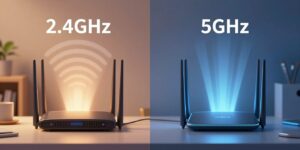
Why 6GHz Wi-Fi Range Is Shorter and How to Use It Well
Learn how to optimize your network with our guide on 6GHz WiFi range. Discover tips to improve your wireless connection and make the most of this technology.
Short version: the new 6 GHz band adds about 1,200 MHz of clean spectrum, freeing up channels and cutting same-band interference. That makes speeds and latency better for modern devices, but the effective range can be shorter than older bands.
The real coverage you get depends on home layout, walls, floors, and nearby networks. Marketing claims about square footage often mislead because signal spreads in three dimensions and drops faster at higher frequencies.
Treat the 6 GHz band as a high-performance layer. Use it for close-to-medium links and bandwidth-hungry clients. Let 2.4 and 5 GHz handle long-reach needs and legacy gear.
This section will explain how to read range numbers, the physics of attenuation, realistic indoor expectations, and setup choices like channel width and band steering. You’ll get clear placement rules, when to add a node, and simple checks so devices actually connect on the new band.
Key Takeaways
- More clean spectrum: ~1,200 MHz means extra channels and less legacy interference.
- Shorter practical reach: higher frequency loses power faster through walls and floors.
- Use it smart: reserve the band for modern devices and heavy tasks.
- Design hybrid networks: combine bands so 2.4/5 GHz cover distance while the new band delivers speeds.
- Placement matters: add nodes or adjust channel width rather than only raising transmit power.
What “Range” Really Means for Wi‑Fi in 2026
A measured link is what creates usable coverage, not a router sticker. Signal reach is the result of an access point and the client device talking across space and obstacles.
Why there’s no single coverage number for any access point
Free-space path loss, wall attenuation, transmit power, and receiver sensitivity all shape coverage. Marketing often flattens a 3D signal field into a single square‑foot number that ignores floors and hallways.
Client perspective matters more than the router’s marketing specs
Phones and IoT devices have weaker antennas and lower transmit power. The client usually limits the usable band, so plan from the device side, not the box label.
Signal strength targets that drive real performance and roaming
Practical targets: −70 dBm for solid data throughput, −67 dBm for voice and reliable roaming. Every 3 dB of loss halves received power, which quickly changes what modulation the link can use.
| Target RSSI | Typical outcome | Design use | When to add a point |
|---|---|---|---|
| −67 dBm | Low latency, stable calls | Voice/video clients | Call drops or handoff lag |
| −70 dBm | High data rates, fewer retries | Streaming, browsing | Slow uploads/downloads |
| −80 dBm | Link still possible but slow | Background data only | Visible latency, retries |
Why 6GHz Wi‑Fi Range Is Shorter Than 5GHz and 2.4 GHz
The physics behind radio propagation makes the first meter of travel the most costly for signal energy. Free-space path loss removes far more power near the transmitter, so where you place an access point changes real coverage more than a higher sticker power rating.
Free space path loss and why the first meter matters most
In plain terms, a wave spreads out immediately and loses strength. Example numbers: about 40 dB loss at 2.4 GHz in the first meter versus ~47 dB at 5 GHz. Doubling distance adds roughly 6 dB regardless of frequency.
How much more higher frequency attenuates indoors
The jump from 5 GHz to the new ghz band is usually only ~1–2 dB extra in that first meter. That small gap becomes meaningful once walls and floors are added to the link budget.
Effective antenna aperture and client impact
Shorter wavelengths mean smaller antenna aperture and less captured energy. Even if an access point advertises high transmit power, the client’s radio often limits the usable link.
Walls and materials that shrink coverage fast
Material matters: drywall might cut a signal in half, while concrete can reduce power to roughly 1/16. Bathrooms, stair cores, and metal-clad enclosures commonly create dead spots.
| Factor | Example effect | Design action |
|---|---|---|
| First-meter FSPL | ~40 dB (2.4 GHz) vs ~47 dB (5 GHz) | Place APs closer to clients |
| Higher frequency gap | ~1–2 dB (5 GHz → higher band) | Prefer short links for high-throughput devices |
| Building material | Drywall ≈ 50% power; concrete ≈ 1/16 | Add nodes or relocate radios |
Realistic 6ghz wifi range Expectations in U.S. Homes and Offices
Measured outdoor reach is a best-case; real homes slice that figure down with every partition and fixture.
Best-case ballparks (outdoor): 2.4 GHz ~200 ft, 5 GHz ~150 ft, 6 GHz ~115 ft. Indoors, usable coverage shrinks sharply.
Best-case vs real‑world coverage
Square-foot claims mislead because coverage is three‑dimensional. Floors, closets, and ductwork create pockets where a signal falls below useful levels.
Rule-of-thumb indoor areas
| Band | Typical indoor area (sq ft) | Typical effective radius (ft) |
|---|---|---|
| 2.4 GHz | 1,600–3,000 | 40–60 |
| 5 GHz | 1,200–2,800 | 20–30 |
| 6 GHz | 800–1,800 | 15–25 |
Interference differences and why higher frequency can still feel better
2.4 GHz is crowded with household devices. 5 GHz faces neighborhood congestion and radar rules. The newer band often has more clean channels, so close-in speeds and latency improve despite shorter reach.
“Count walls and materials first; then place radios where heavy users sit.”
- Plan by counting barriers, not square footage.
- Assume each dense wall reduces usable coverage more for higher frequency.
- Center placement on the main level helps symmetry; prioritize where high-throughput users are located.
How to Set Up 6 GHz for Better Coverage and Performance
Good placement and channel choices make the difference between headline speeds and usable daily performance. Start with a simple checklist to improve coverage on any band and to help modern clients get the data rates they need.
Access point placement that improves coverage
Placement checklist:
- Elevate the access point on a shelf or wall to reduce floor obstructions.
- Avoid closets and metal cabinets that create deep attenuation.
- Keep the AP away from large metal objects and cordless phones to cut interference.
- Bias placement toward the room where heavy users sit rather than blind-center the home.
Choosing channel width to balance speeds vs stability
Use wider channel width (higher MHz) when clients sit close and you need top speeds. Step down to narrower channels when devices are at the edge of coverage to keep modulation and throughput steady.
Band strategy, capacity, and when to add another point
Reserve the new ghz band for high-throughput clients and keep 2.4 ghz band active for long-reach and IoT. In dense apartments or classrooms, favor more APs at lower power to boost capacity.
- Measure where performance drops.
- Check which band the device uses.
- Adjust placement, then channel width, and add a node only if needed.
How to Enable 6 GHz Wi‑Fi and Make Sure Your Devices Can Use It
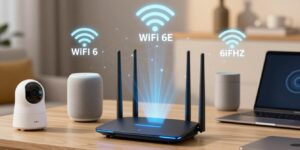
Start with a quick device check so your setup efforts are not wasted. Confirm each device lists Wi‑Fi 6E or Wi‑Fi 7 as the supported standard. If it does not, that device will not see the new band.
Next, update router or access point firmware. Open the admin page, enable the 6 GHz band or SSID, choose security settings, and save. Decide if you want a separate SSID or a unified name with band steering.
Client compatibility and verification
Checklist: look up the wireless standard in the device specs, confirm OS and driver support, then verify the connection details show the device is on the 6 GHz band—not just labeled “Wi‑Fi 6.”
Power limits and AFC explained
Regulatory power caps limit transmit power for both access points and clients. Wi‑Fi 7’s Automated Frequency Coordination (AFC) can allow higher effective power in approved areas, which helps the 6 GHz band close the gap on longer links in some homes.
“Enable the band, but verify clients; only true 6E or 7 devices will get the benefits.”
| Topic | What to do | Outcome |
|---|---|---|
| Compatibility | Check device specs and OS/driver | Device can connect to 6 GHz |
| Setup | Update firmware, enable band/SSID, pick channel and width | Clean channels, better peak speeds |
| Power & AFC | Follow regs; enable AFC where available | Improved coverage and consistent performance |
Conclusion
Think of the new band as a high-capacity lane that covers less ground once walls and floors are involved. You trade a bit of reach for cleaner channels and much better speeds close to the access point.
Practical design: aim for device-level targets, not sticker numbers. The modest ghz signal drop compared with 5ghz is minor; materials and layout set usable coverage and client performance.
For most U.S. homes keep 2.4 ghz for long-reach and legacy devices, use 5ghz for everyday needs, and reserve the ghz band for top speeds, low latency, and busy networks where interference matters less.
If key rooms miss your target, add a node or AP and adjust channel width rather than upgrading to a single, more powerful router. That is the simplest rule to improve coverage and user experience now.
FAQ
Why is the 6 GHz band shorter in coverage than 5 GHz and 2.4 GHz?
What does “range” really mean for modern networks in 2026?
Why isn’t there one coverage number for any access point?
How should I think about client perspective versus router specs?
What signal strength targets drive real performance and roaming?
How much more does the 6 GHz band attenuate indoors compared to 5 GHz?
How do walls and building materials affect coverage?
What are realistic expectations for coverage in U.S. homes and offices?
Why is square footage a misleading metric for coverage?
How does interference differ across bands and why can higher bands still feel better?
Where should I place access points to improve coverage on any frequency band?
How does channel width affect speeds versus stability?
Should I use higher bands for all devices or keep lower bands active?
How do I design for capacity versus coverage in high‑density spaces?
When should I add another access point or mesh node instead of boosting power?
What does “Wi‑Fi 6E” and “Wi‑Fi 7” compatibility mean for client devices?
How do I enable the higher band on a router or access point?
What should I know about power limits and AFC for next‑gen networks?
Which devices will see the biggest benefit from using the higher band?
How many channels and what channel planning should I use?
Can firmware updates or drivers improve device performance on higher bands?
How do I measure and verify real coverage after setup?
Are there best practices for using band steering without dropping clients?
What’s the best way to future‑proof a home or small office network?
Why 2.4GHz Wi-Fi Feels Slow and When It’s Still the Right Choice
» See exclusive tips for your home