Access Point vs Extender: Which Improves Wi-Fi More
Improve your Wi-Fi with the right device. Compare access point vs extender to determine the best option for your network needs.
Deciding whether to improve your home or small business Wi‑Fi comes down to how you want the signal delivered. This article compares an access point vs extender so you can pick what fits your layout and devices.
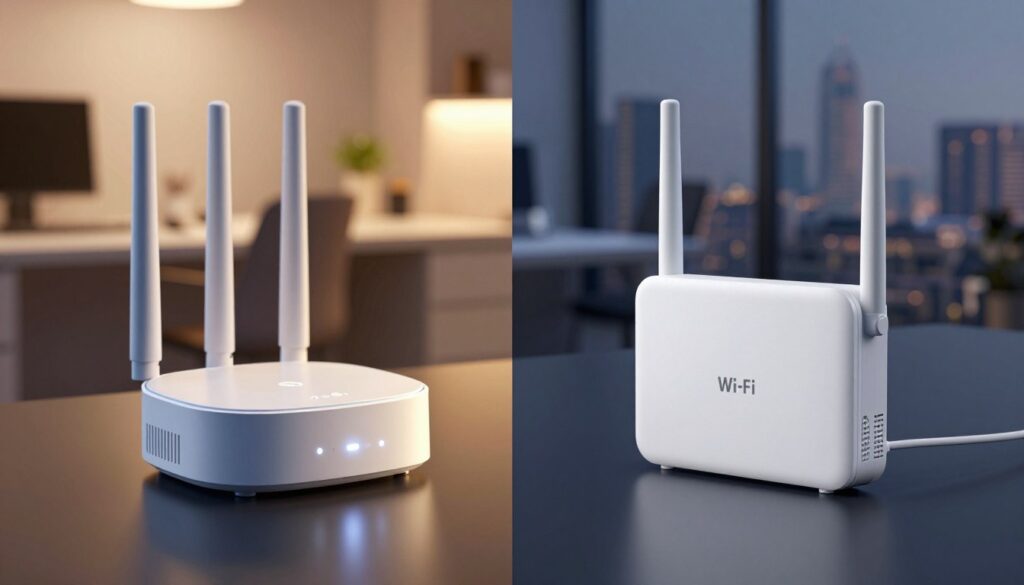
An extender rebroadcasts an existing wireless signal and may create a new SSID. A wired access point plugs into Ethernet and makes a fresh wireless area that often gives stronger performance where it sits.
We will cover setup effort, coverage gains, speed impacts, device limits, and security. Expect a neutral, practical look at real network outcomes rather than marketing claims. The final section includes a checklist to help you choose with confidence.
Key Takeaways
- Define your goal: rebroadcast a signal or create a wired-fed wireless area.
- Both solutions can fix dead zones, but they operate differently.
- If you can run Ethernet, a wired device usually gives better local speeds.
- Consider layout, number of connected devices, and router placement.
- Weigh setup complexity, coverage, and security before deciding.
Why Your Wi‑Fi Has Dead Spots and What Each Device Actually Fixes
Wi‑Fi gaps usually trace back to a few clear causes: how far the client is, what lies between it and the router, and competing radio traffic. These root problems differ for a small home room and for a busy office floor.
Common causes of weak wireless in homes and offices
Distance from the router lowers signal strength quickly. Dense materials like brick, concrete, and metal block and reflect waves.
Nearby networks and many devices create RF congestion. High device density raises retransmissions and steals throughput.
What Else Would You Like to Know?
Choose below:
When you need more coverage versus better connectivity
Dead spots mean no usable link; a rebroadcast can reach small corners of a home or a single office room. Slow spots show a weak link with poor throughput and drops; that needs a new wired-backed access zone for stable performance.
- Small coverage needs: quick rebroadcast is a simple solution.
- Larger coverage areas or high device counts: wired wireless zones give much better stability and throughput.
| Cause | Symptom | Best fix |
|---|---|---|
| Distance | Weak signal in rooms | Extend coverage to the area |
| Thick walls | Dead spots | Create a wired new access zone |
| RF congestion | Unstable connectivity | Use wired backhaul and separate channels |
| High device load | Slow performance | Deploy multiple wired-backed radios |
Access point vs extender: Core Differences in How They Work
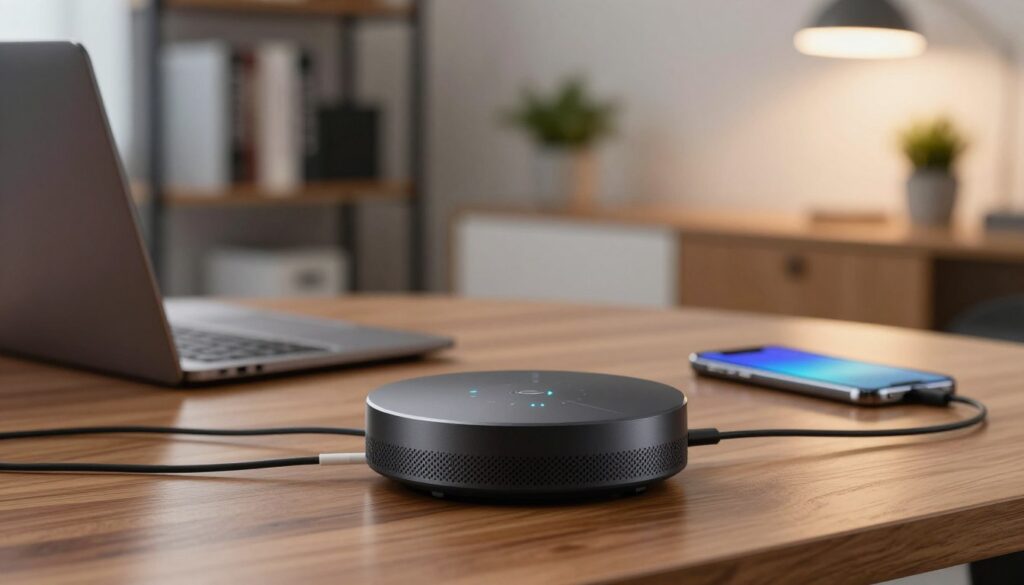
A wired radio unit and a wireless rebroadcaster handle coverage in very different ways. One creates a fresh local zone using an Ethernet feed. The other repeats whatever the router can hear and pushes that signal farther into the home.
Wireless access point basics
A wireless access point connects to the router or a switch by Ethernet and builds its own WLAN for a defined area. That wired backhaul gives steady throughput and cleaner wireless access for devices in that zone.
Range extender basics
Range extenders listen to the router’s wireless and rebroadcast it to reach farther rooms. They are easier to place but often pass along weaker signal quality because they start from the received radio link.
Local area network vs repeated signal
Creating a new local area network means the device transmits from a stable wired source. Repeating a signal means the device copies and forwards what it gets over the air. The practical difference is reliability: wired-fed radios usually deliver better speeds and lower latency.
What “new network name” can mean for users
Many repeaters create a separate SSID. That can force users to switch networks manually and break seamless handoffs during video calls or streaming.
“If you need steady performance in an area, prefer a wired radio; for quick reach, a rebroadcaster can work.”
| Function | Typical outcome | Best use |
|---|---|---|
| Creates WLAN via Ethernet | Stronger local connection | High-traffic rooms, streaming, calls |
| Repeats router signal | Extended reach but possible slowdown | Small dead zones, low-traffic areas |
Setup and Placement: Ethernet Cable Requirements vs Plug‑and‑Play Convenience
Setting up better Wi‑Fi starts with a practical look at wiring and placement. A wired radio gives a stable wired backhaul and needs an Ethernet run. A plug‑in repeater usually pairs over the air and can be ready in minutes.
Wired setup: planning and ethernet routing
Plan placement first. Run an ethernet cable from the router or a switch to the chosen ceiling or wall spot. Route the cable through walls, conduit, or existing drops to keep runs tidy.
After wiring, configuration often takes under ten minutes. Configure the SSID and security so users see a consistent network and reliable connections.
Plug‑in setup: pair, place, and test
Plug in, follow an app wizard, and pair to the main router. The key is the “sweet spot”: the unit must get a solid signal from the router or the repeated connection will be weak.
Home vs office installation notes
Homes often choose the quick setup unless performance justifies cable runs. Offices and business sites usually have structured cabling and can mount radios for planned coverage.
“Wired runs take more time up front but deliver steadier, higher‑capacity coverage.”
Performance, Speed, and Device Support Under Real Network Load
Real-world load reveals how different devices handle simultaneous traffic and where performance slips occur.
Why retransmission can cut throughput
Range extenders receive data over the air and then retransmit it. That creates extra wireless hops that consume airtime and can cut effective speed by roughly half under load.
The result: devices may show a strong signal but suffer slow streaming, laggy gaming, or dropped video calls when many clients share the same repeated link.
Wired backhaul and router-level results
Wired access via Ethernet gives a steady feed, so the radio transmits without first “listening” to a weak upstream link. That yields performance much closer to the main router inside its coverage area.
Device support and real limits
Typical rebroadcasters cope with around 20 connected devices before performance degrades. In contrast, many quality wireless access points support about 60 devices, which matters for busy homes and small businesses.
Interference and smart design
Adding repeaters can raise RF chatter and increase neighbor interference. Better channel planning, fewer repeated hops, and correct placement improve connectivity and lower latency.
“For crowded networks, design matters as much as raw range.”
Coverage Area and Range: Expanding Wi‑Fi Where You Need It
Coverage upgrades are about making reliable wireless zones where you actually use devices. Start by mapping the rooms and outdoor spots that need a stronger link. Define whether you want a single robust zone or to stretch the network coverage across multiple areas.
How access points extend coverage by creating a new, strong access zone
Wired radios add a fresh wireless area fed by Ethernet. That creates a predictable access zone with steady throughput for streaming, calls, and many clients.
In practice, a new unit can effectively double network coverage in targeted spots when wired correctly. Expect consistent performance inside that zone.
How range extenders expand boundaries by repeating a signal to a new area
Repeaters push the router’s signal farther into a garage or backyard. They are easier to deploy but depend on upstream signal quality.
If placed too far from the router, an extender may show coverage area on a device yet still deliver unstable service.
What to expect from “coverage increase” claims
Manufacturers often quote ideal numbers: about 100% gain for wired units and roughly 50% for repeaters. These figures are best‑case estimates.
Real results vary with walls, distance, and interference. It is smarter to strengthen one problem area than to chase modest boosts across a whole house.
| Goal | Typical result | Best use |
|---|---|---|
| Strong local zone | Up to 100% better network coverage in area | High-traffic rooms, home offices, patios |
| Extend boundary | ~50% range increase if upstream signal is strong | Single dead spots, low-traffic corners |
| Quick, low-cost fix | Fast coverage area gain but variable quality | Garages, guest rooms, short outdoor reach |
Cost, Features, and Security: What You Get for the Money
Price rarely tells the whole story. Compare budget models to premium gear by looking at management, security, and long‑term support rather than sticker shock.
Price ranges in the U.S. market
Basic models for home use can be found under $100. Premium devices that add faster radios and more advanced features often top $300.
Examples include TP‑Link RE605X and Netgear Nighthawk X6S EX8000 for repeaters, and TP‑Link TL‑WA1201 or Zyxel WAX630S for wired deployments. Choose by needs, not just price.
What business buyers pay for
Companies buy more than radio speed. They pay for centralized control, better device support, and scalable management.
- Centralized management: cluster many radios under one console.
- ACL support: control who has network rights.
- Captive portals: guest sign‑in and usage policies.
Security and management tradeoffs
When a unit creates a separate SSID, users may pick the wrong network. That can cause inconsistent security settings and harder troubleshooting.
For public areas like lobbies or cafés, guest isolation and controlled sessions matter more than raw range. In those cases, manageability beats a cheap boost.
“Stability, device support, and simple management usually outweigh small upfront savings.”
| Tier | Typical cost (US) | Key features |
|---|---|---|
| Budget | <$100 | Basic radios, simple setup, limited device support |
| Premium | $150–$350+ | Faster wireless, better throughput, more features |
| Business | $200–$500+ | Central management, ACLs, captive portals, clustering |
| Practical pick | Depends on needs | Choose stability and manageability over lowest price |
Which Device Should You Choose for Your Network?
Deciding between a quick boost or a durable wireless zone depends on how you use each area and how many devices will connect.
Best for a small home dead zone or low-traffic area
Choose a range extender when you need a fast, low-cost solution for one corner or guest room. A range extender works well if few devices use that area and running cable is unrealistic.
Best for larger homes, garages, and backyards
Choose an access point when you want steady wireless access and higher speed across a larger area. Wired backhaul makes connectivity more reliable for streaming and calls.
Best for offices, restaurants, warehouses, and outdoor business areas
For busy business sites and public areas, deploy multiple access points. They scale for many users and devices and give predictable network coverage across broad areas.
Decision checklist
- Size of the area to cover
- Number of devices expected at peak times
- Performance needs for streaming or work calls
- Whether a wired run is possible
| Symptom | Recommended solution | Why |
|---|---|---|
| Single weak corner | Range extender | Quick, low-cost fix |
| Large room or yard | Access point | Better speed and many-device support |
| Busy business area | Access points | Scales for users and consistent coverage |
If calls drop or video is unstable, lean toward wired wireless access; for a single usable signal in one corner, a range extender can be enough.
Conclusion
Choose the upgrade that balances installation effort with the real-world demands on your network.
For steady throughput in busy rooms, an access point fed by Ethernet gives the most reliable performance. It holds up under many clients and heavy use.
If you only need a quick signal boost in one spot and running cable is impractical, a wireless rebroadcaster can be a fast, low‑cost fix with minimal setup.
Remember to check router placement and baseline signal first. Moving the router or changing channels often fixes problems without new hardware.
Use the checklist from the previous section: match wiring options, expected device load, and how critical steady connections are before you buy. Plan placement to maximize coverage and reduce interference for the best results on your network.
FAQ
What is the main difference between an access point and a range extender?
Why do I have dead spots in my home or office?
When should I choose a wired device over a wireless repeater?
Will a repeater create a separate network name and cause users to reconnect?
Do extenders reduce my internet speed?
How important is Ethernet for setting up an additional wireless zone?
Can I use multiple devices together for whole-property coverage?
How many devices can a typical repeater support compared to a wired access unit?
What are the security differences between these solutions?
How should I position devices for best coverage in a house or office?
Are premium units worth the higher price for home users?
What should businesses look for when choosing equipment for public or high‑traffic areas?
Can outdoor spaces like backyards and patios be covered effectively?
How do channel congestion and interference affect performance?
What quick checklist helps decide between a repeater and a wired device?
Apartment Wi-Fi Problems: What Makes Signal and Speed Worse
» See exclusive tips for your home