WPA2 vs WPA3: Does Security Mode Affect Speed and Compatibility
Discover the differences between WPA2 and WPA3 wifi security modes. How do they affect your network's speed and device compatibility? wifi security wpa2 wpa3
WPA2 and WPA3 are the two main authentication and encryption standards for a modern home or business network. WPA2 dates back to 2004 and kept many networks safe for years, while WPA3 arrived in 2018 with updated protocols to reduce common attack risks.
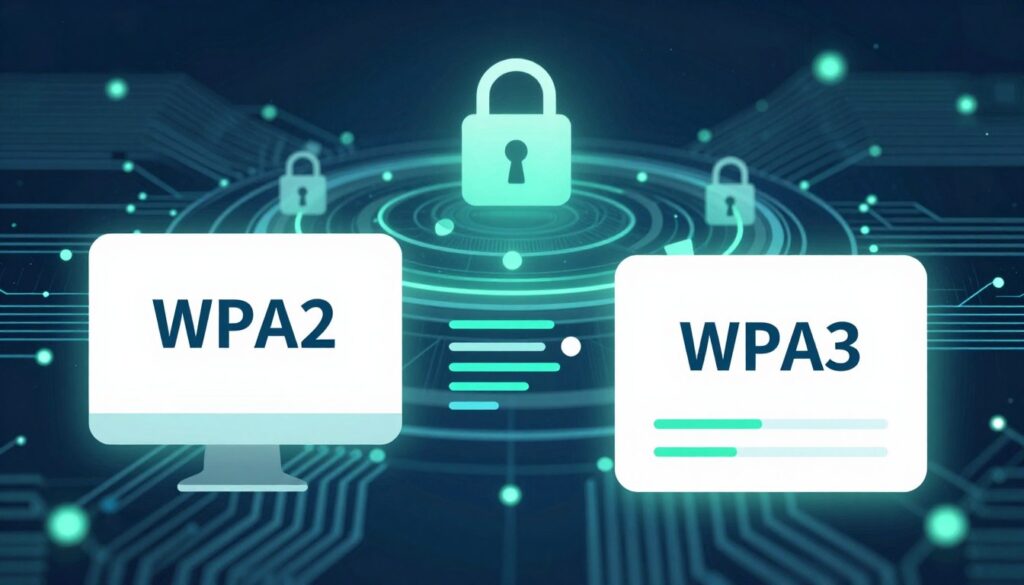
Security mode is more than a label: it controls how devices authenticate, how encryption behaves, and which gear can join a network. In most cases, raw throughput changes little; signal strength, interference, and router hardware matter more.
Still, mixed-mode settings, roaming, and reconnect behavior can affect perceived performance. In the United States, older laptops, streaming sticks, printers, and IoT gadgets may fail to connect to WPA3-only setups, so many admins choose transition modes that trade some protection for compatibility.
This article compares each standard side-by-side so you can pick the right mode for home, business, or public use based on risk, device mix, and update effort. Implementation and patching matter as much as the protocol itself.
Key Takeaways
- WPA3 improves authentication and encryption but arrived much later than WPA2.
- Speed differences are usually minor compared to signal and hardware limits.
- Older devices may not join WPA3-only networks; transition modes aid compatibility.
- Use WPA2-AES with a strong passphrase if WPA3 is not an option yet.
- Patch routers and clients—implementation quality matters as much as the standard.
Why Wi‑Fi Security Protocols Matter for Modern Wireless Networks
Baseline encryption turns a shared radio channel into a private path for devices. That baseline helps protect traffic when individual apps or legacy services lack their own safeguards.
Encryption as a baseline layer for all client devices
Encryption ensures packets are unreadable to anyone within radio range. It standardizes authentication so clients must prove identity before gaining access.
This layer helps stop accidental leaks from apps that do not encrypt data end-to-end. It lowers the chance that simple misconfigurations expose credentials or session tokens.
What can go wrong on unsecured or outdated wireless networks
Open or obsolete setups increase risk across homes and businesses. Attackers can eavesdrop, intercept data, or use a compromised node as a pivot into larger systems.
- Stolen credentials and intercepted traffic in public hotspots
- Expanded attack surface inside offices and multi‑unit buildings
- Malware spreading between connected endpoints
| Risk | Immediate Outcome | Business Impact |
|---|---|---|
| Eavesdropping | Credentials leaked | Account takeover, lost trust |
| Compromised client | Malware on LAN | Operational disruption |
| Outdated standard | Poor device performance | Higher IT cost, compliance risk |
| Open public APs | Intercepted sessions | Customer data exposure |
“Standardized encryption is the simplest, most effective baseline protection for wireless users and devices.”
From WEP to Wi‑Fi Protected Access: How We Got to WPA2 and WPA3
Understanding the protocol lineage explains why older methods no longer earn trust. Early standards sought basic privacy for shared airwaves, but each generation fixed flaws the prior one left exposed. Modern protocols focus on stronger cryptography and safer authentication.
Why WEP and WPA are deprecated and risky today
WEP (introduced in 1997) tried to offer wired equivalent privacy, but weak keying made it trivial to crack. WPA acted as an interim fix, yet both fell to public tools and simple attacks.
WPA2’s long run as the dominant standard
In 2004, WPA2 (802.11i) brought robust ciphers and broad vendor support. That made it the default for home and enterprise network deployments for many years.
WPA3’s arrival and the reality of mixed adoption
Certification began in 2018 to replace legacy methods with improved protections like individualized encryption. Still, many environments keep WPA2 because older devices lack native support and upgrades cost time and money.
- WEP → WPA (interim) → WPA2 (2004) → WPA3 (2018): each change fixed practical flaws.
- Legacy clients force reduced protection and can degrade overall network performance.
- Transition modes ease compatibility but carry downgrade considerations.
How WPA2 Works Under the Hood
WPA2 pairs the advanced encryption standard with a small, predictable protocol to protect wireless data in transit.
AES and CCMP explained in plain English
The advanced encryption standard is a symmetric cipher that scrambles packets so eavesdroppers cannot read them. CCMP is the operating mode that gives both confidentiality and message integrity.
Personal (PSK) vs Enterprise (802.1X/EAP)
Personal uses a shared passphrase. Anyone with the passcode gains access.
Enterprise uses per-user authentication with 802.1X and a server (often RADIUS). It gives better accountability and tighter access control.
The four-way handshake and why password strength still matters
The four-way handshake is a small protocol that proves both sides know the secret and then derives session keys for traffic. The secret itself is never sent over the air.
“Even strong cryptography fails when the passphrase is short or reused.”
| Feature | Personal (PSK) | Enterprise (802.1X) |
|---|---|---|
| Authentication | Shared password | Per-user credentials |
| Access control | All-or-nothing | Role-based, auditable |
| Best practice | Use long, unique passwords | Use strong EAP methods and a RADIUS server |
Next, we look at specific attack paths the handshake exposed and how they influenced later fixes.
WPA2 Security Limits You Should Know About
Even robust protocols show real-world limits when implementation and passphrase choices are weak. Two practical threats explain why administrators and home users must pay attention: a key reinstallation attack that targets the handshake, and offline dictionary attacks against weak passphrases.
KRACK — how the key reinstallation attack worked
KRACK exploited retransmitted frames during the four‑way handshake so an attacker could force a client to reinstall an already‑used key. That broke the expected encryption state and allowed certain packet attacks at the encryption stage.
An attacker only needed to be within radio range to manipulate handshakes. In practice, timely patches to routers and clients removed the practical risk for most networks.
Offline dictionary attacks against weak passcodes
For WPA2‑Personal the model is capture once, guess forever. An attacker records a handshake and then runs a dictionary offline to try many passphrases without further interaction.
Password strength matters: longer, complex passphrases (mix of upper/lowercase, numbers, symbols) and unique phrases resist precompiled lists. Use at least 12–16 characters for home networks to raise the cost of guessing attacks materially.
- WPA2‑Personal: exposed to offline dictionary attacks if the passphrase is weak.
- WPA2‑Enterprise: better authentication reduces exposure, but encryption-stage flaws can still matter.
- Patching both clients and infrastructure is the fastest, most effective protection.
“Improving passphrase quality and applying vendor updates closes the biggest practical attack windows.”
Next: how the newer standard reduces offline guessing and tightens management‑frame protections to lower these risks.
How WPA3 Works and What It Improves
WPA3 brings a set of practical protocol upgrades that reduce the risk of offline guessing and improve per-client privacy. These changes focus on stronger authentication, better management-frame protection, and easier onboarding for modern devices.
SAE replaces PSK to cut offline guessing
SAE (Simultaneous Authentication of Equals) swaps the old shared-key handshake for a process that forces active interaction per guess. That shift makes recorded handshakes far less useful to attackers and raises the cost of offline dictionary attacks.
Protected management frames become required
Protected Management Frames (PMF) harden control and management traffic. This reduces spoofing and disruption that were easier with older protocols.
Enterprise options and the 192‑bit suite
For high-assurance environments, the optional 192‑bit cryptographic suite raises cryptographic strength. Most small businesses do not need it, but enterprises handling sensitive data may plan for it.
Enhanced Open and device onboarding
Enhanced Open (OWE) gives individualized encryption on open networks so casual eavesdropping is harder.
Wi‑Fi Easy Connect improves onboarding for headless smart devices by using QR codes or apps. That reduces insecure setup workarounds and speeds safe deployment.
“Standards upgrades matter, but real protection depends on device support, correct configuration, and timely vendor updates.”
WPA3 Isn’t Perfect: Real‑World Caveats and Known Attacks
Design-level improvements can be undermined by side channels and downgrade tricks in real devices. That reality explains why early certification did not remove all practical risks for modern standards.
Dragonblood and downgrade explained
Dragonblood names a set of flaws found in the new handshake and implementation code. Researchers showed side-channel timing leaks and downgrade techniques that let an attacker force a fallback to older modes like wpa2.
In practice, a downgrade means an attacker tries to push a client back to a weaker state when transition settings allow it. That expands the window for offline guessing and other attacks.
Why patches and implementations matter
Standards only promise capability. Real protection depends on vendors shipping fixes and on users applying firmware and OS updates to their devices.
- Capabilities mismatch—mixed-mode networks broaden the attack surface when some devices only support legacy modes.
- Keep routers, APs, phones, and laptops patched to keep data and network security intact.
“Vendor updates and good operational hygiene make protocol upgrades deliver real security gains.”
Takeaway: the newest standard is the right direction, but it is not a substitute for timely updates, strong passwords, segmentation, and monitoring. The next section compares authentication, encryption defaults, and open-network privacy side by side.
wifi security wpa2 wpa3: Key Differences Side by Side
The most useful way to compare these standards is by looking at authentication method, cipher expectations, and how open networks protect users.
Authentication:
PSK vs SAE
WPA2 commonly uses a shared passphrase (PSK) for personal networks and 802.1X/EAP for enterprise installs. PSK is simple but lets an attacker perform offline guessing after capturing a handshake.
WPA3 replaces PSK with SAE for personal authentication. SAE forces active interaction per guess, which makes offline dictionary attacks far less practical.
Encryption defaults and enterprise options
Both standards typically rely on AES‑CCMP for data confidentiality. WPA3 tightens requirements, mandates Protected Management Frames, and offers an optional 192‑bit suite for high‑assurance enterprise deployments.
Privacy on open networks
WPA2-era open SSIDs provide no per-client encryption. WPA3 adds Enhanced Open (OWE) so each user gets individualized encryption even without a shared password. That is a clear, user-facing privacy improvement.
- Practical takeaway: PSK → SAE improves attack economics; AES‑CCMP remains the common cipher; Enhanced Open boosts open‑network privacy.
- Next, we’ll cover performance impacts, roaming behavior, and device compatibility breakpoints.
Does WPA2 vs WPA3 Affect Wi‑Fi Speed?
Changing the authentication mode rarely alters raw throughput on modern routers and phones. Most perceived slowdowns come from radio conditions, channel congestion, or weak client radios rather than the protocol itself.
Where performance changes can happen: handshake, roaming, and reconnects
Users may notice longer association times during the initial handshake or when moving between access points. Fast roaming depends on client and AP capabilities, not just the chosen protocol.
Encryption overhead vs real bottlenecks
Encryption adds CPU work, but recent home gear has enough processing power that RF factors limit speed first. In short, signal strength, channel width, and interference dominate.
Mixed‑mode settings and throughput stability
Transition mode can cause instability because different devices negotiate different paths. That may slow associations or cause reconnects for legacy devices and hurt overall network experience.
Quick diagnostic tips: test near the AP, update firmware, scan for interference, and isolate any legacy devices that reduce compatibility.
Device Compatibility: What Breaks When You Switch to WPA3
A protocol upgrade can be straightforward for recent gear but disruptive for older hardware.
Older devices that don’t natively support the new standard
Common breakpoints
Older phones, tablets, and legacy OS builds often lack modern crypto support and will not join the network without updates. Long‑lived printers, scanners, and embedded endpoints may never receive patches and can remain offline.
Router and access point firmware requirements
Enabling the new mode usually needs firmware on the router or AP. Some access points cannot be upgraded and must be replaced to give full feature access and stable performance.
Transition mode tradeoffs
Mixed mode keeps legacy devices connected but reintroduces fallback exposure and inconsistent client behavior. This reduces the practical protection and can complicate troubleshooting.
Special cases: IoT and legacy enterprise clients
Many smart plugs, cameras, and hubs lag on standards. Easy Connect helps onboarding when both the router and device implement it, but adoption is uneven in consumer devices.
Migration checklist: inventory devices, update firmware/OS, pilot on a secondary SSID, then choose WPA3‑only or mixed mode based on results.
| Step | Action | Result |
|---|---|---|
| Inventory | List all endpoints | Know what must update or be replaced |
| Pilot | Test on secondary SSID | Measure real compatibility impact |
| Decide | WPA3‑only or mixed | Balance access vs practical protection |
Choosing the Right Security Mode for Home, Business, and Public Networks in the US
In the United States, practical choices balance modern protections with device compatibility and operational cost. Pick a mode that fits your device mix, threat model, and tolerance for management overhead.
Home networks: when to use modern personal modes
Home: choose WPA3‑Personal when most devices support it. If many legacy devices remain, use WPA2‑AES (avoid TKIP), a long password, and regular firmware updates.
Business networks: enterprise-grade choices
Enterprise deployments should default to 802.1X/EAP (WPA2‑Enterprise) today and plan for WPA3‑Enterprise where clients and APs validate. Certificate‑based authentication is the gold standard to reduce credential risk.
Public networks: privacy without passwords
Public hotspots benefit from Enhanced Open (OWE) because it gives per‑client encryption even with no shared passphrase. That improves patron privacy and lowers casual eavesdropping on shared networks.
- Separate guest SSIDs and limit lateral access.
- Segment critical systems and enable monitoring.
- Keep firmware and clients patched; encryption alone is not enough.
“Recommendation ladder: prefer modern personal and enterprise modes where supported; use AES where necessary; avoid legacy standards entirely.”
Conclusion
When balancing protection and device support, phased upgrades usually deliver the best results. WPA3 improves authentication and open‑network privacy, while WPA2 remains widely compatible and can stay secure when set to AES with strong passphrases.
The truth on speed: the chosen protocol rarely limits peak throughput. Most slowdowns come from mixed‑mode behavior, client negotiation, or radio issues rather than encryption overhead.
For compatibility, inventory devices, apply updates, pilot a secondary SSID, then migrate in stages. Patch promptly—protocol gains mean little without correct implementations and timely fixes.
Choose your mode: WPA3‑Personal for modern homes; WPA2‑AES for legacy environments; WPA2‑Enterprise (plan WPA3‑Enterprise) for businesses; use Enhanced Open for public hotspots where available.
Next step: check router settings, update firmware, and replace weak passwords to protect your data and network today.
FAQ
Does selecting WPA3 instead of WPA2 slow down my wireless network?
Will all my devices work if I switch my router to WPA3‑Personal?
What practical protections does WPA3 add over earlier standards?
Is WPA2 still safe to use right now?
What is the difference between Personal (PSK) and Enterprise (802.1X/EAP) modes?
How does the four‑way handshake affect security and performance?
What are offline dictionary attacks and how does SAE help?
Can attackers still exploit vulnerabilities in WPA3 implementations?
Does using Enhanced Open or OWE protect users on public hotspots?
How should small businesses prioritize between WPA2‑Enterprise and WPA3‑Enterprise?
What role do firmware updates play in keeping wireless networks safe?
How do I choose a strong passphrase for Personal networks?
What special concerns exist for IoT and legacy hardware?
Will mixed‑mode (WPA2/WPA3) reduce protection?
What metrics matter more than protocol choice when troubleshooting slow connections?
Smart Home Devices That Crowd Your Wi-Fi
» See exclusive tips for your home